 AppToPC
 Download PC Games and Software
Detailed Guide: How to Download PC Games and Software
To ensure a smooth and quick download process for your computer, please follow these simple steps:
Download Process
-
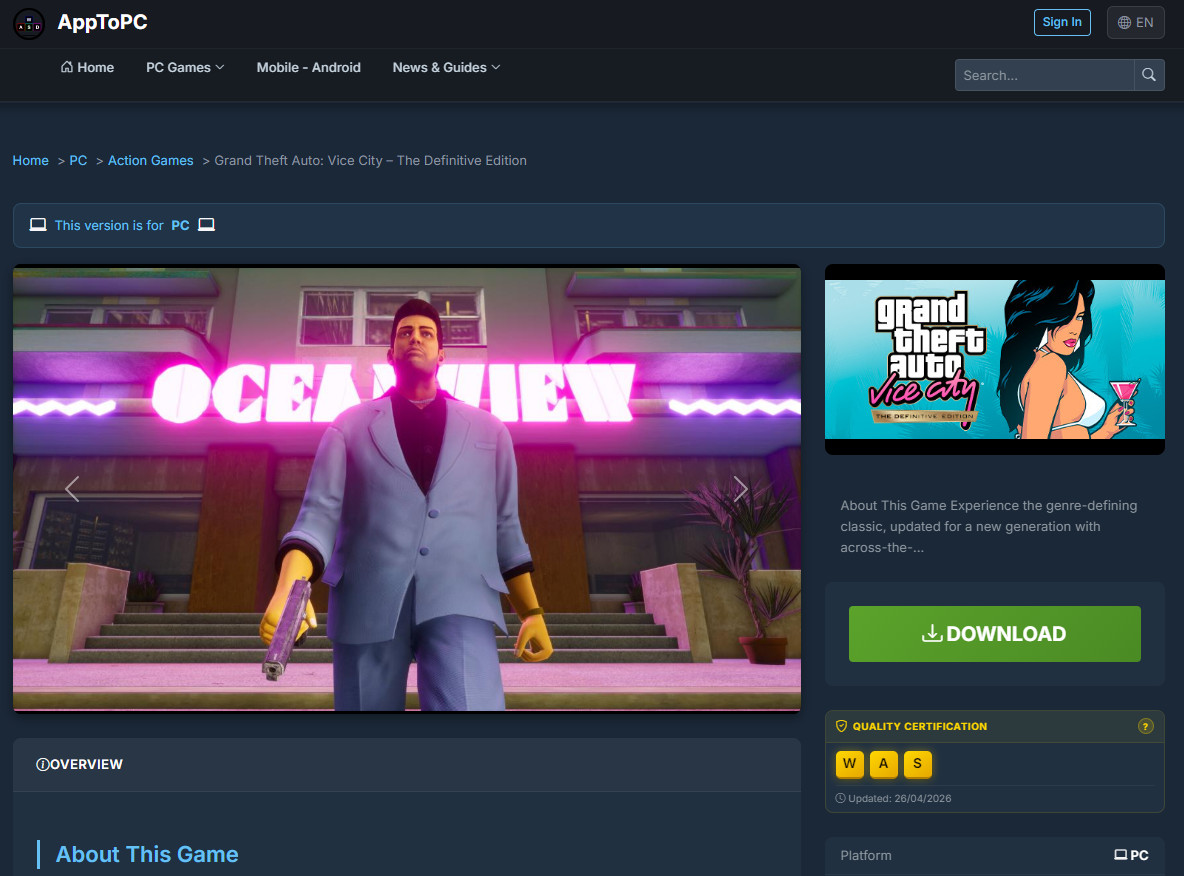
Step 1: Start the download Go to the page of the PC game or software you want to download. Scroll down and click the DOWNLOAD button .
-
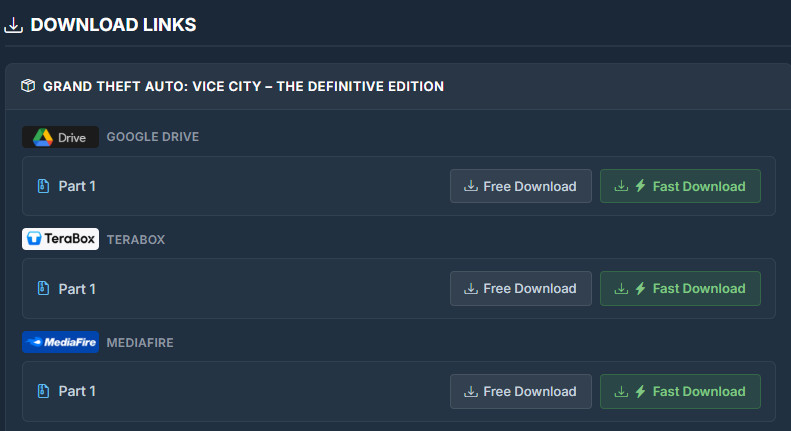
Step 2: Proceed to the links section You will be automatically redirected down to the area labeled DOWNLOAD LINKS.
-
Step 3: Choose your download method Here, select one of the two options that best fits your needs:
-
Free Download: Fast and completely free (ads will be shown before you can get each download link).
-
Fast Download: Maximum download speed with zero ads. Costs a highly affordable one-time fee of just $0.10 for all the links related to that specific PC game or software, granting you lifetime access.
-
📌 Quick Help
-
Please view a quick ad to unlock the free high-speed download link. Ad revenue helps us fund and maintain the website. Thank you for your support!
-
Want to skip ads entirely? You can add a small fund to your account to automatically remove ads, giving you permanent access to direct PC download links. See details: [Guide on how to deposit funds using Cryptocurrency].
⚙️ What to do after downloading to your PC?
Once you have downloaded all the files to your hard drive, you need to extract the data.
Important Note: Make sure to run the Setup.exe file to extract all the files into a separate, dedicated folder first. After that, simply follow our [Comprehensive Guide on Installing PC Games & Software] to finish the system setup and start playing your game or using your software.

